
My Account

You can change your password at any time.

To change your password:

  • Go to the Yellowbet.et homepage and click login.
  • Enter your registered phone number.
  • Select forgot my password section and click send
  • We will send you a 5-digit one time code which you will use to set a new password.

Please contact us if you’ve made a successful deposit and it hasn’t appeared on your account. Send us a screenshot of the confirmation message received from your Mobile Money operator with the transaction ID  [email protected]

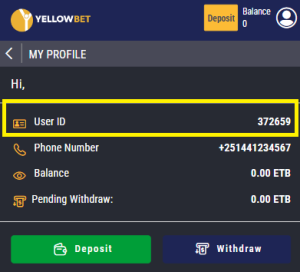
To find your Account ID:
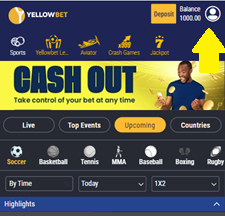
  • Click on your account button

  • And on top of your profile page, you will find your unique User ID

If you have forgotten your password and you are unable to log in to your winner.et account, you can follow these steps:

  • Click on Login button & click on Forgot your password?
  • Enter your phone number & click on Send.
  • If there is an account associated with this number, you will receive a 5-digit code with instructions on how to reset your password.
  • Enter the 5-digit code that was sent to your Mobile and reset your password